
Introduction
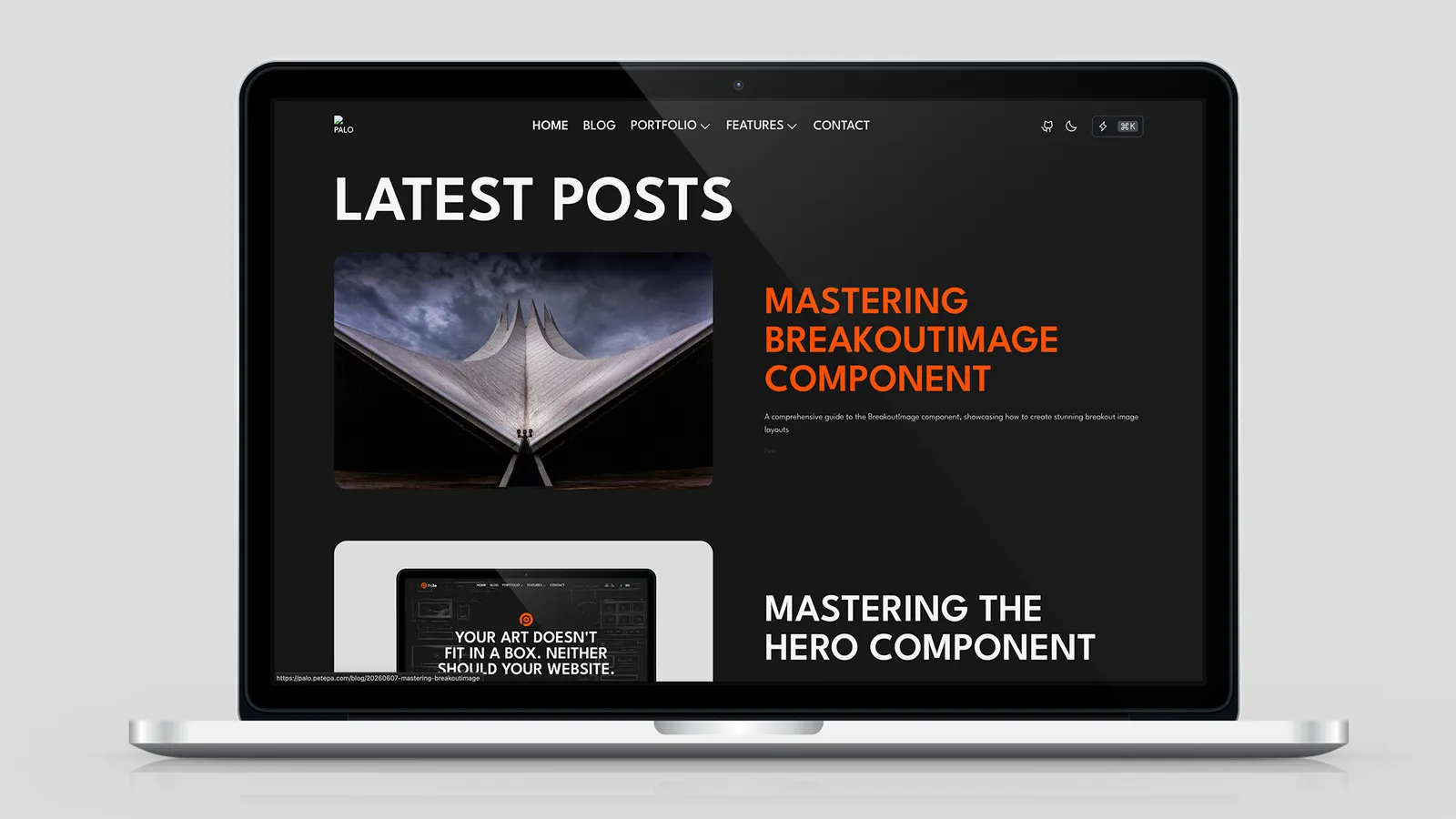
Palo’s blog system has three surfaces:
Palo 博客系统包含三个入口:
| Surface | Route | Purpose |
|---|---|---|
| List page | /blog, /blog/2, … | All posts, paginated single-column feed |
| Tag filter | /blog/tag/{slug} | Posts matching a tag |
| LatestPosts | Homepage embed | Curated recent-post strip + “View all” link |
Almost all list styling is controlled from config.yaml → blog: — not hardcoded in page files. Values flow through src/utils/listConfig.ts for pagination.
列表样式与分页几乎全部由 config.yaml → blog: 控制——不在页面文件中硬编码。
Configuration Overview (config.yaml)
blog:
  pagination: { ... }       # Page size & sort order
  defaults: { ... }         # Visual "gene base" — shared by list, tag, LatestPosts
  listPage: { ... }         # Copy + optional overrides for /blog
  latestComponent: { ... }  # Defaults for <LatestPosts />
Inheritance chain (list page)
listPage override
        ↓ falls back to
blog.defaults
        ↓ falls back to
hard-coded fallback in page .astro
Tag pages inherit defaults for layout (and listPage.allLabel for the “All” filter link).
标签页的布局继承 defaults(「全部」筛选按钮文字来自 listPage.allLabel)。
See also Config: Everything You Like.
blog.pagination
Read by src/utils/listConfig.ts as PAGE_SIZE.blog and SORT_BY.blog:
blog:
  pagination:
    pageSize: 10          # Posts per page
sortBy: "latest" # latest | earliest| Key | Values | Effect |
|---|---|---|
pageSize | integer ≥ 1 | Items per paginated page on /blog and /blog/tag/* |
sortBy | latest | Regular posts: newest publishDate first (default) |
earliest | Regular posts: oldest publishDate first |
featuredOrder posts always pin to the top regardless of sortBy.
设置了 featuredOrder 的文章始终置顶,不受 sortBy 影响。
# Example: 6 posts per page, oldest first
blog:
  pagination:
    pageSize: 6
    sortBy: earliest
Restart dev after editing config. No need to edit src/pages/blog/*.astro.
改 config 后重启 dev 即可,无需编辑 src/pages/blog/*.astro。
blog.defaults — Visual Gene Base
Changing defaults updates the blog list, tag pages, and shared LatestPosts typography/spacing.
blog:
  defaults:
    showTags: true
    showStats: true
    itemGap: "gap-24"           # Vertical gap between PostCards
    cardGap: "gap-8 md:gap-16"  # Gap between image & text columns inside PostCard
    tagsHeading: "h5"
    postHeadingLevel: "h3"
postDescClass: "text-base"| Key | Description |
|---|---|
showTags | Tag filter nav on /blog |
showStats | ”Post X through Y of Z · Page N” summary line |
itemGap | Tailwind gap class → CSS gap between list items |
cardGap | Passed to PostCard — image column vs text column spacing |
tagsHeading | Heading level for the tag filter block |
postHeadingLevel | HTML tag for each post title link (h1–h6) |
postDescClass | Tailwind class for post description text |
List layout is a single-column grid (grid-cols-1). Cover images use a fixed 8:5 aspect ratio.
列表为单列网格(grid-cols-1),封面固定 8:5 宽高比。
blog.listPage → /blog
blog:
  listPage:
    title: "Blog"
    subtitle: "Latest articles on web development, accessibility, and design best practices."
    allLabel: "All Posts"    # Tag filter "show all" button
Copy strings for PaloPageHeader. The list page also allows layout overrides at runtime (same keys as defaults):
列表页 PaloPageHeader 文案。运行时也可 override 与 defaults 相同的布局键:
blog:
  listPage:
    title: "Blog"
    itemGap: "gap-16"        # optional — overrides defaults.itemGap on /blog only
    postHeadingLevel: "h2"
Tag pages do not read listPage layout overrides — only defaults.
标签页不读取 listPage 的布局 override——仅 defaults。
blog.latestComponent → <LatestPosts />
Homepage recent-post block defaults:
blog:
  latestComponent:
    limit: 5
    title: "Latest Posts"
    buttonText: "View All Posts"
    buttonAlign: right       # left | center | right
Used on src/pages/index.astro:
<LatestPosts />Spacing and typography come from blog.defaults unless overridden via props.
间距与排版来自 blog.defaults,除非通过 prop 覆盖。
LatestPosts Component
Path: src/components/LatestPosts.astro
Props
| Prop | Default source | Description |
|---|---|---|
limit | latestComponent.limit | Max posts shown |
title | latestComponent.title | Section <h2> text |
buttonText | latestComponent.buttonText | Link to /blog |
buttonAlign | latestComponent.buttonAlign | left | center | right |
sortBy | 'latest' (prop only) | latest | earliest |
postHeadingLevel | defaults.postHeadingLevel | PostCard title tag |
postDescClass | defaults.postDescClass | Description class |
itemGap | defaults.itemGap | Vertical list spacing |
cardGap | defaults.cardGap | PostCard internal column gap |
class | — | Extra section classes |
<LatestPosts
  limit={3}
  title="Recent Articles"
  sortBy="earliest"
  itemGap="gap-16"
/>
Each card always shows: cover image, title, description (from frontmatter), and author name in the footer. There are no showAuthor / showDate / layout toggles — customize via PostCard props on a fork if needed.
每张卡片固定显示:封面、标题、description(frontmatter)、作者名(footer)。无 showAuthor / showDate / layout 开关。
Includes a “Read all posts” button linking to /blog.
包含指向 /blog 的「查看更多」按钮。
PostCard Layout
Blog lists render each entry through PostCard:
- Left: cover image (8:5, progressive load with dominant-color placeholder)
- Right: title (linked), description, author footer
- Responsive: stacks on narrow viewports
Cover resolves via resolveCollectionCoverImage() — supports ./cover.jpg co-location.
封面通过 resolveCollectionCoverImage() 解析——支持 ./cover.jpg 同域路径。
Blog List Page — /blog
From src/pages/blog/[...page].astro:
PaloPageHeaderwithlistPage.title/subtitle- Optional tag filter nav (
showTags) - Optional pagination stats line (
showStats) - Single-column
PostCardlist - Centered pagination controls
URLs: /blog (page 1), /blog/2, /blog/3, …
Tag Filtering — /blog/tag/{slug}
- Tags from post frontmatter
tags: ['Accessibility', 'CSS'] - Slug via
slugify()— e.g.Web Design→web-design - Same dual-axis sort and pagination as main list
- Tag filter UI uses
defaults(notlistPagelayout overrides)
# Post frontmatter
tags: ['Documentation', 'Tailwind', 'CSS']
featuredOrder: 2    # optional pin
Sorting System
Dual-axis engine
1. Posts WITH featuredOrder  →  sort ascending (1, 2, 3…)
2. Posts WITHOUT featuredOrder  →  sort by pagination.sortBy (latest / earliest)
3. Concatenate: [featured..., regular...]
Where sort applies
| Surface | Uses pagination.sortBy | Uses featuredOrder | sortBy prop |
|---|---|---|---|
/blog | ✅ | ✅ | — |
/blog/tag/* | ✅ | ✅ | — |
<LatestPosts> | — | ✅ | prop (latest / earliest) |
There is no popular / views-based sort in the current codebase.
当前代码库没有按 views 的热门排序。
Post Frontmatter
---
title: Building Accessible Web Experiences
description: A comprehensive guide to web accessibility
publishDate: 2026-06-07
author:
  name: "Pete"
  image: "/branding/avatar.png"
tags: ['Accessibility', 'Web Development']
coverImage: ./cover.jpg
featuredOrder: 1       # Optional — pin to top
draft: false
views: 1850            # Optional metadata — not used for sorting
---| Field | Purpose |
|---|---|
featuredOrder | Pin post to top of lists; lower number = higher |
coverImage | PostCard thumbnail — ./ co-location supported |
description | PostCard excerpt text |
draft: true | Excluded from all lists and LatestPosts |
Customization Recipes
Compact homepage strip
blog:
  latestComponent:
    limit: 3
    title: "From the blog"
    buttonText: "All posts"
    buttonAlign: center
  defaults:
    itemGap: "gap-12"
    cardGap: "gap-6 md:gap-12"
Wider spacing on list page only
blog:
  defaults:
    itemGap: "gap-24"
  listPage:
    title: "Blog"
    itemGap: "gap-32"
Disable tag filter
blog:
  defaults:
    showTags: false
Pin announcement posts
# urgent-update/index.md
featuredOrder: 1
Tips
Edit
config.yaml, not page files — pagination, spacing, and copy live in configUse
featuredOrdersparingly — 2–5 pinned posts keeps lists readableUse
./cover.jpgfor co-located cover images — see Asset Co-Location GuidepostDescClass— use standard Tailwind sizes (text-sm,text-base,text-lg)Restart dev after config changes — config is read at startup
LatestPosts on homepage —
<LatestPosts />with no props inherits full config defaults改
config.yaml,不改页面 — 分页、间距、文案都在 config 中featuredOrder少量使用 — 置顶 2–5 篇为宜封面用
./cover.jpg— 见同域资源指南postDescClass— 使用标准 Tailwind 字号类改 config 后重启 dev
首页 LatestPosts — 无 prop 时完全继承 config
Troubleshooting
Posts missing from list
- Check
draft: false(or omitdraft) - Verify file is under
src/content/posts/ - Confirm valid
publishDatein frontmatter
Config changes not applied
Restart npm run dev — config.yaml is loaded at build/dev startup.
Cover image not showing
- Use
./cover.jpgco-located path or valid public path - For
./covers in dev, runnpm run copy-imagesif using frontmatter covers on other pages (PostCard uses pipeline directly)
Pagination seems wrong
Check blog.pagination.pageSize in config — default is 10, not 6.
Conclusion
Palo’s blog is config-driven: blog.defaults sets spacing and typography, listPage controls /blog copy and optional overrides, latestComponent configures the homepage strip, and pagination handles page size and sort order. Combine with post frontmatter (featuredOrder, coverImage, tags) for a pin-aware, filterable article feed.
Palo 博客由 config 驱动:blog.defaults 设定间距与排版,listPage 控制 /blog 文案与 override,latestComponent 配置首页推荐区,pagination 管理分页与排序。配合 post frontmatter(featuredOrder、coverImage、tags)构建可置顶、可筛选的文章流。
Share this post
Like this post? Share it with your network!