
Introduction
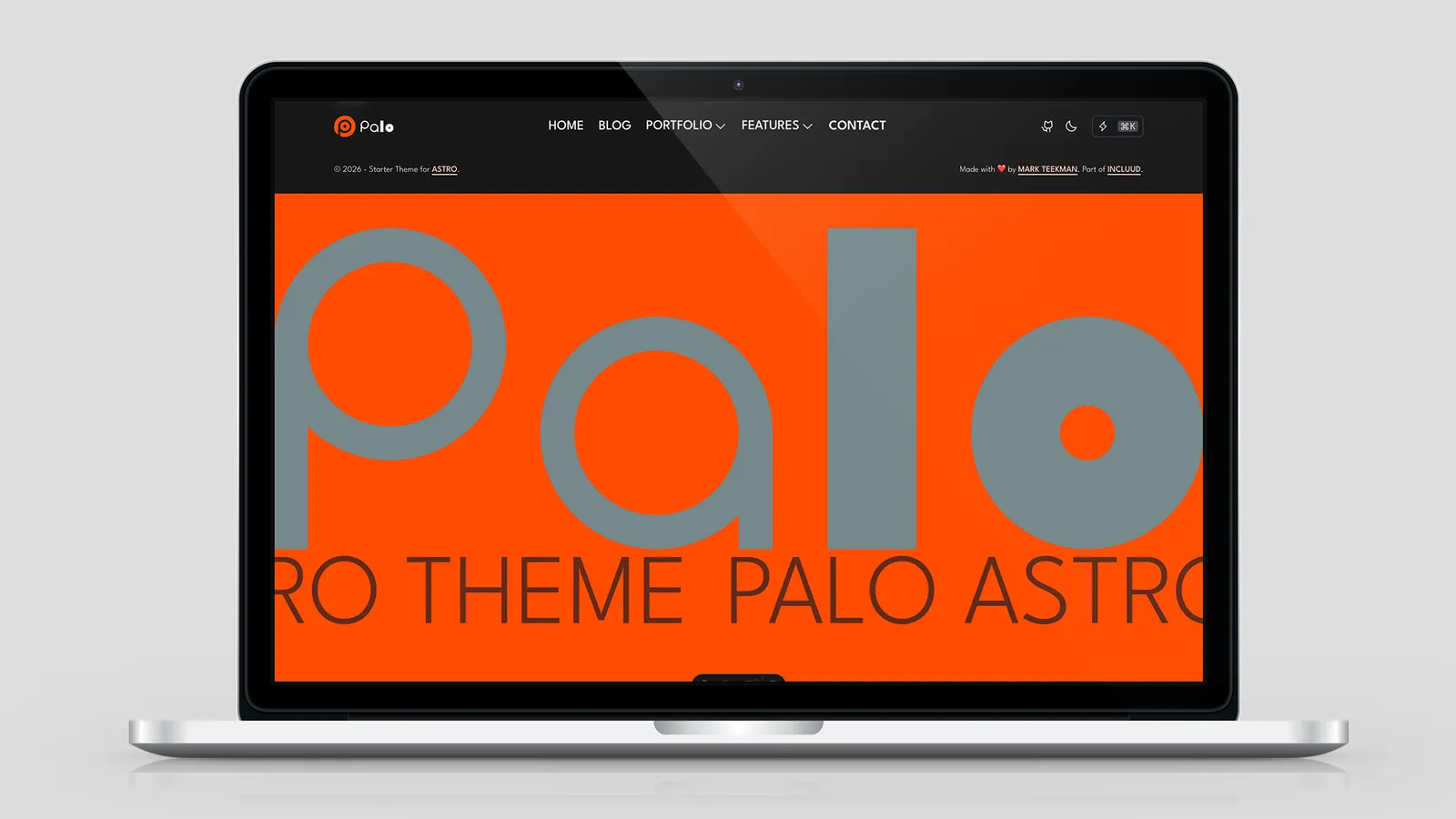
Slogan is a lightweight Astro component for brand taglines, hero headlines, and scrolling announcements. It ships with Palo at src/components/Slogan.astro and is used in the site footer today.
Slogan 是 Palo 内置的轻量 Astro 组件,用于品牌标语、英雄区标题和滚动公告。组件位于 src/components/Slogan.astro,当前在站点 Footer 中使用。
| Variant | Behavior | Client JS |
|---|---|---|
default | Static text block | No |
inline | Single-line, auto-scales font to fill container width | Yes |
marquee | Seamless infinite scroll (pixel-based speed) | Yes |
Quick Start
---
import Slogan from '@components/Slogan.astro'
---

<Slogan text="Welcome to Palo" />

<Slogan
  text="Palo, The Best Astro Theme For You."
  variant="marquee"
  speed="fast"
  class="text-3xl md:text-5xl uppercase"
/>
Scroll to the bottom of any page to see the live footer marquee.
滚动到任意页面底部即可看到 Footer 中的跑马灯效果。
Parameters
| Prop | Type | Default | Applies to |
|---|---|---|---|
text | string | (required) | All |
variant | 'default' | 'inline' | 'marquee' | 'default' | All |
class | string | '' | All — see Where class lands |
wrapperClass | string | '' | inline, marquee only |
speed | 'slow' | 'normal' | 'fast' | 'normal' | marquee only |
direction | 'left' | 'right' | 'left' | marquee only |
pause | boolean | true | marquee only |
speed (marquee)
Speed is pixels per second, not a fixed duration. The animation duration is calculated from the measured scroll-group width:
速度以像素/秒计,而非固定时长。动画时长由实测滚动组宽度动态计算:
| Value | px/s |
|---|---|
slow | 40 |
normal | 80 |
fast | 160 |
Longer text → wider group → longer loop duration at the same px/s, so perceived scroll speed stays consistent.
文字越长 → 滚动组越宽 → 在相同 px/s 下循环时长越长,视觉速度保持一致。
Where class lands
| Variant | class target | wrapperClass target |
|---|---|---|
default | Outer .palo-slogan-default div | — (not supported) |
inline | Inner .palo-slogan-inline span | .palo-slogan-inline-wrapper |
marquee | Each .palo-marquee-item span | .palo-marquee-wrapper |
Use Tailwind typography classes (text-*, font-*, uppercase, color tokens) on class. Use layout/spacing/background on wrapperClass for inline and marquee.
排版类写在 class 上;布局、间距、背景写在 wrapperClass 上(仅 inline / marquee)。
Variants
default — Static Text
Renders a simple block with no JavaScript. Best for one-off taglines inside a layout you control.
<Slogan
  text="Building Beautiful Websites"
  class="text-4xl font-bold text-primary"
/>
inline — Fit to Width
Automatically scales font-size so the full text fits on one line within the wrapper width. Recalculates on resize via ResizeObserver.
<div class="w-full max-w-4xl">
  <Slogan
    text="Fully Responsive Headline"
    variant="inline"
    wrapperClass="w-full"
    class="uppercase text-primary"
  />
</div>
The wrapper must have a defined width (w-full, max-w-*, grid column, etc.) — the component measures wrapper.clientWidth to compute font size.
容器必须有明确宽度(w-full、max-w-*、grid 列等)——组件通过 wrapper.clientWidth 计算字号。
marquee — Seamless Scroll
Creates a flicker-free infinite loop:
- Waits for
document.fonts.readyso measurements include web fonts - Clones text items to fill the viewport, then duplicates the group for a
-50%seamless loop - Animates with
translate3d(GPU composited) - Recalculates on container resize
<Slogan
  text="Palo, The Best Astro Theme For You."
  variant="marquee"
  speed="fast"
  direction="left"
  pause={true}
  class="text-3xl md:text-5xl lg:text-9xl uppercase text-secondary"
/>direction="left"— scrolls right → left (default)direction="right"— scrolls left → rightpause={true}— animation pauses on hover (default)
Production Example — Site Footer
Palo’s footer uses Slogan inside a CreativeSection:
Palo Footer 在 CreativeSection 内使用 Slogan:
---
import Slogan from '@components/Slogan.astro'
import CreativeSection from '@components/CreativeSection.astro'
---

<CreativeSection
  class="bg-primary py-4 sm:py-8 md:py-16"
  useContainer={false}
  alignV="center"
  alignH="left"
>
  <Slogan
    text="Palo, The Best Astro Theme For You. "
    variant="marquee"
    speed="fast"
    pause={true}
    direction="left"
    class="text-neutral- text-secondary uppercase text-3xl md:text-5xl lg:text-9xl"
  />

  <img src="/branding/logo-text.svg" class="w-full" alt="" />
</CreativeSection>
See src/components/Footer.astro for the full implementation.
完整实现见 src/components/Footer.astro。
More Examples
Responsive Marquee Typography
<Slogan
  text="Palo Astro Theme"
  variant="marquee"
  speed="normal"
  class="text-3xl md:text-5xl lg:text-7xl text-neutral uppercase"
/>
Continuous Scroll (No Hover Pause)
<Slogan
  text="Always Moving"
  variant="marquee"
  speed="slow"
  pause={false}
/>
Inline Hero Headline
<CreativeSection class="py-16" alignV="center">
  <Slogan
    text="Design For Everyone"
    variant="inline"
    wrapperClass="w-full px-4"
    class="font-bold text-neutral-100"
  />
</CreativeSection>
Runtime Behavior
| Concern | How Slogan handles it |
|---|---|
| Font loading | Inline and marquee init after document.fonts.ready |
| Resize | ResizeObserver recalculates inline font-size and marquee layout |
| View transitions | Hooks into astro:page-load / astro:before-swap — safe with Astro client navigation |
| Multiple instances | Each instance gets a unique data-inline-id / data-marquee-id |
Marquee clones duplicate text nodes with aria-hidden="true". The wrapper carries aria-label={text} so screen readers hear the slogan once.
跑马灯克隆的文字节点带 aria-hidden="true",wrapper 上的 aria-label={text} 让读屏软件只朗读一次。
Accessibility
| Feature | Behavior |
|---|---|
prefers-reduced-motion: reduce | Marquee animation disabled; container becomes horizontally scrollable (overflow-x: auto) |
| Hover pause | Default pause={true} — users can stop motion to read |
| Screen readers | Marquee: one aria-label on wrapper; cloned items hidden |
| No motion trap | Reduced-motion users can scroll manually instead of being forced to watch animation |
When continuous motion is essential (e.g. decorative footer), keep pause={true} anyway so mouse/touch users can still pause.
即使装饰性滚动不可省略,也建议保持 pause={true},让鼠标/触摸用户可以暂停。
Tips
Inline needs width — wrap in a sized container;
wrapperClass="w-full"alone is not enough if the parent has no widthMarquee + responsive text — use
text-3xl md:text-5xlonclass; resize triggers automatic relayoutMatch speed to context — footer uses
fast; hero announcements often work withnormalorslowTrailing space in text — add a trailing space in
textfor visual gap between loop cycles (see Footer example)Default has no
wrapperClass— wrap in your own<div>if you need outer spacing/backgroundinline 需要宽度 — 放在有尺寸的容器内;父级无宽度时仅设
wrapperClass="w-full"不够marquee + 响应式字号 — 在
class上用text-3xl md:text-5xl;resize 会自动重新布局速度看场景 — Footer 用
fast;公告区常用normal或slowtext 末尾加空格 — 循环之间留出视觉间距(见 Footer 示例)
default 不支持
wrapperClass— 需要外层间距/背景时自行包一层<div>
Conclusion
Slogan covers three presentation modes with one API: static block, fluid single-line headline, and GPU-accelerated marquee. Style through class / wrapperClass, tune marquee with speed, direction, and pause, and rely on built-in font-ready detection, resize handling, and reduced-motion fallbacks.
Slogan 用一套 API 覆盖三种展示模式:静态块、自适应单行标题、GPU 加速跑马灯。通过 class / wrapperClass 控制样式,用 speed、direction、pause 调节跑马灯,并内置字体就绪检测、resize 处理和 reduced-motion 降级。
Share this post
Like this post? Share it with your network!